Changes in uniKIM: A brief guide
In the following, we introduce you to the main changes in the menu bar of the uniKIM portal and guide you through all relevant points.
1. Registration and deregistration: Drop-down menu
The drop-down menu is located at the top right of your home page.
- Here you can login and logout.
- Under "My Profile" you will find information about yourselfe and your account.
2. Dashboard
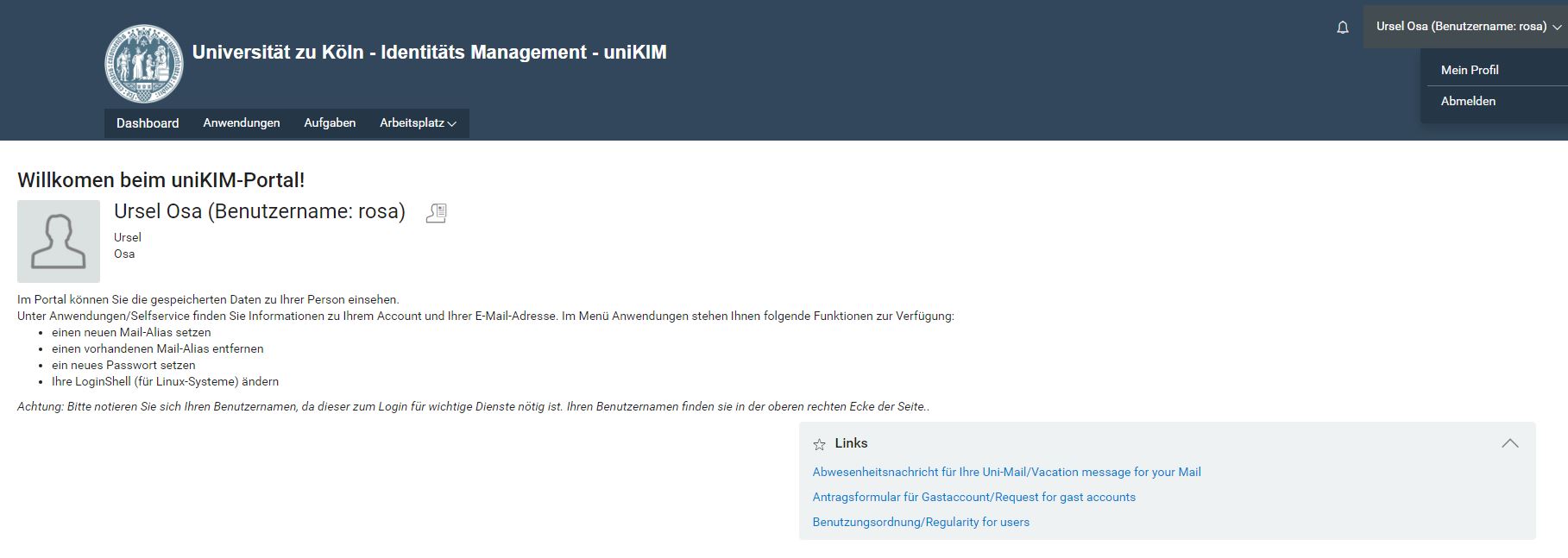
The dashboard navigates you through the uniKIM portal. Among other things, you can access your profile there.
3. Your profile
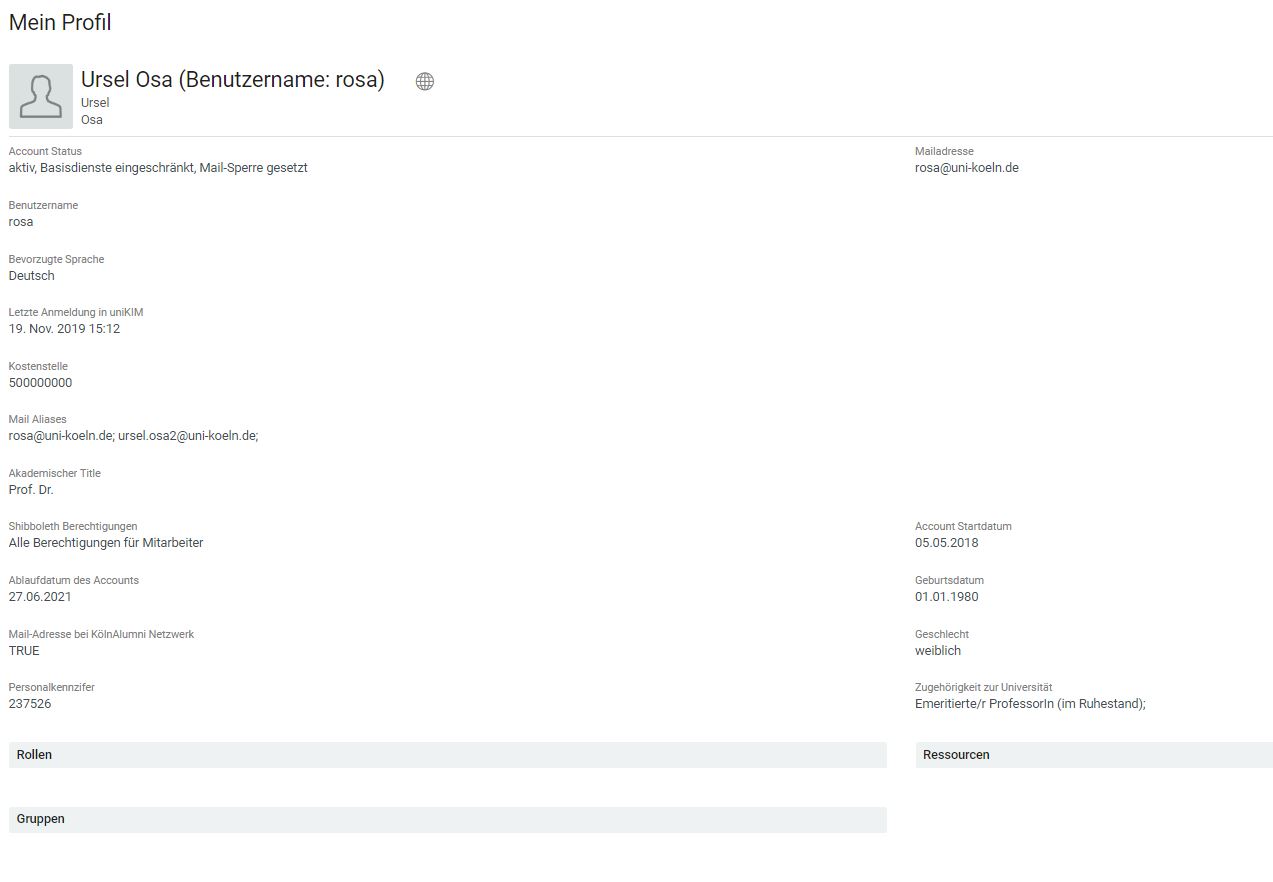
You will now find it under "My profile":
- the most important attributes of the account as well as your personal data.
- the icon "globe" for the function to change the language setting.
4. Applications
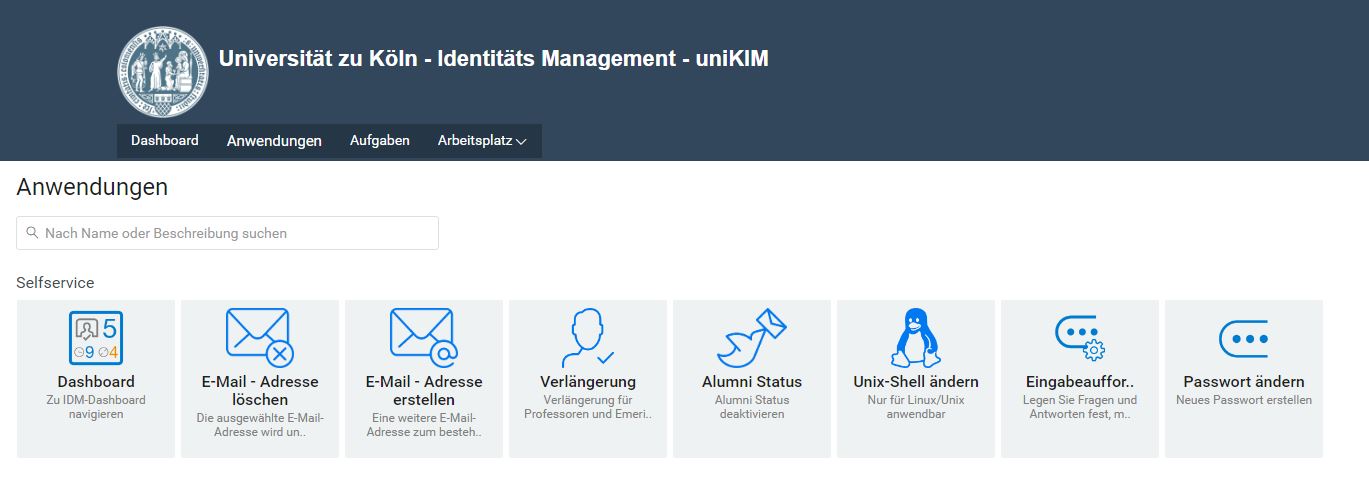
Under "applications" you will now find all important functions summarised in categories:
- Password change
- prompt to recover your password with questions and answers
- Setting and Deleting Aliases
- Changing the Shell
- Change of Alumni Status
- Invitation of guests to the WLAN
- Application for further accounts
5. Workplace
The Computer menu provides further functions for you:
- Request: No function is stored here.
- Request flow: Workflows/requests executed as previously known.
6. Menu items: Tasks, persons and administration
The menu items Tasks, Persons and Administration are visible for persons with approval authorization.
Tasks
- This function is visible with approval authorization.
Persons
- This item is visible with the "Search" permission.
- You can manage "Users" and "Groups" under this item.
Administration
- Roles - only visible for accounts with role assignment function.
- Function separation: No function available.
Contact
If you have any questions or problems, please contact the ITCC-Helpdesk